Neck Pain Computer Work: Here’s Why It Happens And How To Fix It
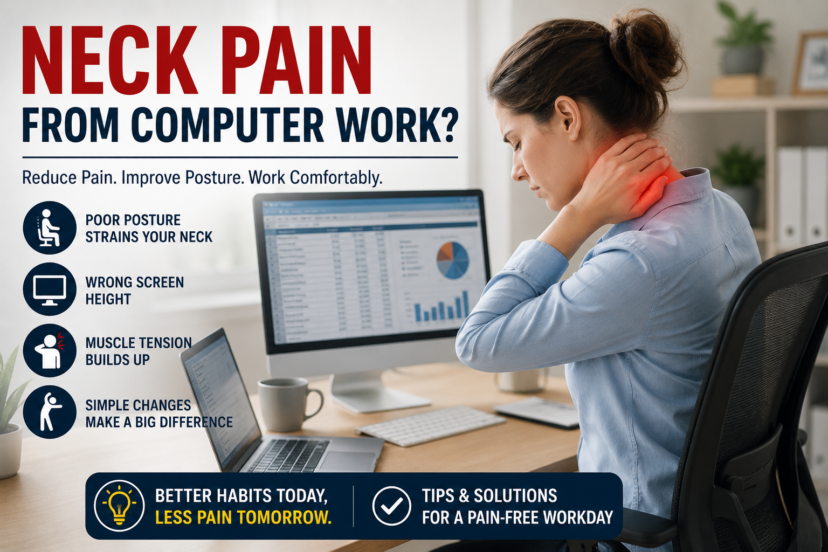
Working at a computer for hours each day has become part of modern life, but it often comes with an unwelcome side effect—neck pain. Whether you’re working from home, sitting in an office, or using a laptop at the kitchen table, prolonged screen time can leave your neck feeling stiff, sore, and difficult to move. The good news is that neck pain computer work doesn’t have to become your new normal. Most computer-related neck discomfort develops gradually due to poor posture, muscle fatigue, and repetitive habits, meaning small daily changes can make a significant difference.
If you’re looking to reduce discomfort, improve mobility, and stay active as you age, understanding what causes computer-related neck pain is the first step toward lasting relief. This guide explains why it happens, practical ways to prevent it, and science-backed strategies that support long-term neck health.
💡 Quick Answer: Neck Pain Computer Work
Neck pain computer work is usually caused by poor posture, prolonged sitting, muscle fatigue, and improper workstation setup. Adjusting your desk ergonomics, taking regular movement breaks, strengthening neck and shoulder muscles, and improving daily posture can often reduce pain and prevent future flare-ups.
Key Takeaways
Most likely cause: Poor posture, prolonged sitting, muscle fatigue, and an improperly adjusted workstation place repeated strain on the neck and upper back during computer work.
Usually serious? No. Most cases improve with better ergonomics, regular movement, stretching, and strengthening exercises, although persistent or severe symptoms should be evaluated by a healthcare professional.
First thing to check: Assess your workstation setup, monitor height, sitting posture, and how often you take movement breaks throughout the day.
Best solution: Improve your desk ergonomics, take breaks every 30–60 minutes, strengthen your neck, shoulders, and upper back, and maintain good posture to reduce pain and help prevent future flare-ups.
💻 Why Neck Pain Computer Work Is So Common
Millions of Americans spend six to ten hours each day looking at computer screens. During this time, many unknowingly lean forward, round their shoulders, or crane their neck toward the monitor.
Over time, these positions overload the muscles, ligaments, and joints that support your cervical spine.
Unlike sudden injuries, neck pain computer work usually develops slowly. The muscles become fatigued, connective tissues tighten, and small amounts of stress build up day after day.
Without correction, occasional stiffness can eventually become recurring discomfort.
🦴 How Computer Work Affects Your Neck
Your head weighs roughly 10 to 12 pounds in a neutral position. As your head moves forward, the amount of force placed on your neck increases dramatically.
For example:
- Looking straight ahead places minimal stress on the neck.
- Looking down about 30 degrees increases the load considerably.
- Looking down 60 degrees may place the equivalent of 50 to 60 pounds of force on the cervical spine.
This repeated strain contributes to neck pain computer work, muscle tightness, headaches, and shoulder discomfort.
📋 Common Causes Of Neck Pain Computer Work
Several everyday habits often work together to create ongoing discomfort.
Poor Monitor Height
If your monitor sits too low, you naturally look downward for hours.
The top of your screen should generally be at or slightly below eye level.
Sitting Too Long
Remaining in one position decreases blood flow and causes muscles to fatigue.
Even perfect posture becomes uncomfortable after prolonged sitting.
Rounded Shoulders
Rounded shoulders pull the head forward and increase stress on the neck muscles.
This posture also weakens the muscles that stabilize your upper back.
Laptop Use
Working directly on a laptop often forces users to look down continuously.
An external keyboard and monitor riser can significantly improve positioning.
Stress And Muscle Tension
Mental stress often causes unconscious tightening of the shoulders and neck muscles.
Many people spend entire workdays with elevated shoulders without realizing it.
🪑 Improve Your Ergonomic Workspace
One of the most effective ways to reduce neck pain computer work is improving workstation ergonomics.
Consider these adjustments:
- Raise Your Monitor: Keep the top third of the screen near eye level.
- Sit Back In Your Chair: Support your lower back fully.
- Keep Feet Flat: Rest both feet comfortably on the floor.
- Relax Your Shoulders: Avoid shrugging while typing.
- Position Keyboard Properly: Elbows should remain near a 90-degree angle.
- Keep Mouse Close: Avoid reaching excessively.
Small adjustments often reduce strain immediately.
🚶 Take Frequent Movement Breaks
Your body is designed to move—not remain still for hours.
Experts often recommend standing or walking every 30 to 60 minutes.
Simple movement breaks may include:
- Walking around the office
- Stretching your shoulders
- Rolling your neck gently
- Refilling your water bottle
- Performing a few shoulder blade squeezes
These brief breaks improve circulation and reduce muscle fatigue.
🤸 Best Stretches For Computer-Related Neck Pain
Gentle stretching helps restore flexibility and reduce stiffness.
Chin Tucks
Pull your chin straight backward while keeping your eyes level.
Hold for five seconds.
Repeat 10 times.
Upper Trapezius Stretch
Tilt your head toward one shoulder until you feel a gentle stretch.
Hold for 20–30 seconds.
Repeat on both sides.
Shoulder Rolls
Roll both shoulders backward slowly.
Repeat 10–15 times throughout the day.
Chest Stretch
Stand in a doorway and gently stretch your chest muscles.
Opening the chest helps counter rounded shoulders.
Always stretch gently without forcing painful movements.
💪 Strengthening Exercises Support Better Posture
Strong muscles help maintain healthy alignment during long workdays.
Helpful exercises include:
- Resistance band rows
- Wall angels
- Scapular squeezes
- Face pulls
- Light dumbbell reverse flies
- Core strengthening exercises
Improving upper back strength often reduces the strain placed on the neck.
😴 Sleep Habits That Support Neck Recovery
Quality sleep allows tired muscles to recover after long workdays.
To support neck health:
- Sleep on your back or side.
- Avoid sleeping on your stomach.
- Use one supportive pillow.
- Replace worn-out pillows regularly.
- Keep your neck aligned with your spine.
Some people find cervical-support or memory foam pillows more comfortable, although the best pillow is one that maintains neutral alignment without causing discomfort.
🌿 Natural Relief Methods For Neck Pain
If symptoms are mild, these conservative approaches may help.
Heat Therapy
Warm compresses relax tight muscles and improve blood flow.
Cold Therapy
Ice packs may help after an unusually long or physically demanding workday if inflammation develops.
Massage
Gentle massage may temporarily reduce muscle tension and improve comfort.
Stress Management
Deep breathing, meditation, yoga, and mindfulness can help reduce muscle tightness caused by stress.
🏥 Physical Therapy For Persistent Neck Pain
If neck pain computer work continues despite home care, physical therapy may help.
A physical therapist can evaluate posture, movement patterns, muscle imbalances, and workstation habits.
Treatment may include:
- Manual therapy
- Personalized stretching
- Strengthening exercises
- Posture retraining
- Ergonomic recommendations
- Home exercise programs
Research consistently shows that exercise combined with education often provides better long-term outcomes than passive treatments alone.
🥗 Healthy Lifestyle Habits That Protect Your Neck
Daily wellness habits support your muscles, joints, and spine.
Focus on:
- Regular physical activity
- Healthy body weight
- Adequate hydration
- Anti-inflammatory foods like fruits, vegetables, nuts, and fatty fish
- Sufficient protein intake
- Good sleep quality
- Limiting tobacco use
Some adults discuss supplements such as omega-3 fatty acids, magnesium, or vitamin D with their healthcare provider, but supplements should complement—not replace—a healthy lifestyle.
👨⚕️ When To See A Doctor For Neck Pain Computer Work
Most cases improve with better posture and movement, but seek medical care if you experience:
- Pain lasting longer than several weeks
- Worsening symptoms despite self-care
- Numbness or tingling in the arms
- Muscle weakness
- Severe headaches
- Pain after an accident
- Fever with neck stiffness
- Difficulty walking or poor balance
- Loss of bladder or bowel control
Prompt evaluation helps rule out more serious conditions affecting the nerves or spine.
❓ FAQs: Neck Pain Computer Work
Can computer work really cause neck pain?
Yes. Poor posture, prolonged sitting, and improper workstation setup are among the most common causes of work-related neck discomfort.
How can I prevent neck pain while working at a computer?
Improve your workstation ergonomics, sit with good posture, take movement breaks every 30–60 minutes, and perform regular stretching exercises.
Is standing better than sitting?
Alternating between sitting and standing is generally better than remaining in either position all day.
Should my monitor be at eye level?
Yes. Positioning the monitor near eye level helps reduce forward head posture and neck strain.
How often should I stretch during computer work?
Brief stretching every hour can help reduce stiffness and improve circulation.
Can physical therapy help computer-related neck pain?
Yes. Physical therapists can identify movement problems and develop individualized treatment programs that improve posture, flexibility, and strength.
When should I worry about neck pain from computer work?
Seek medical attention if symptoms become severe, involve numbness or weakness, follow an injury, or continue worsening despite several weeks of self-care.
🌟 Final Thoughts
Computer work doesn’t have to mean living with constant neck pain. While long hours at a desk can place repeated stress on your muscles and joints, simple daily changes often make a remarkable difference. Improving your workstation setup, moving more often, strengthening your upper back, and maintaining healthy posture all work together to reduce strain on your neck.
Consistency is the key to lasting improvement. Small ergonomic adjustments and a few minutes of stretching each day can help you move more comfortably, stay productive, and support long-term neck health. By taking care of your spine today, you’re investing in better mobility, greater comfort, and a more active lifestyle for years to come.
Medical Disclaimer
This article is intended for educational purposes only and should not be considered medical advice. It is not designed to diagnose, treat, cure, or prevent any medical condition. Always consult a qualified healthcare professional if you have persistent, severe, or worsening neck pain, experience numbness, weakness, fever, or symptoms following an injury. Never ignore professional medical advice or delay seeking care because of information you have read in this article.
 Explore more: